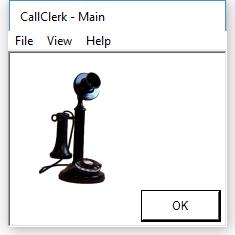
CallClerk - Main Window
CallClerk’s - Main window allows you to gain easy access to all of CallClerk’s primary windows and commands.The windows and commands that may be accessed from the CallClerk - Main window are:
| File |
Settings (to set CallClerk options) Dial (to place an outgoing call) Close (to close the Main window) Exit (to stop CallClerk from running) |
| View |
History (to view the history log of all calls) Directory (to view the directory of all callers) |
| Logs |
Session Log (to view the current session log) Windows Application Event Log (to view the CallClerk events stored in the Windows Application Event Log) |
| Help |
Content (to view the contents of CallClerk’s help documentation) Index (to view the index of CallClerk’s help documentation) Search (to search CallClerk’s help documentation) About (to view CallClerk’s version number and licensing information) Check for Update (access www.callclerk.com to confirm if you are running the most current version of CallClerk) Support via E-Mail (to send an e-mail to support@callclerk.com) |
The CallClerk - Main window looks like this: