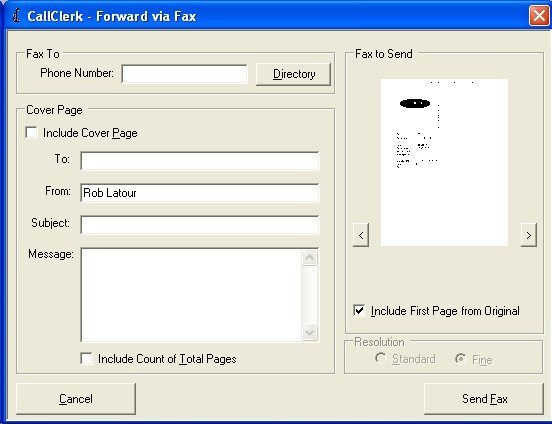
CallClerk - Forward Fax via Fax
The CallClerk - Forward via Fax allows you to forward a fax that you have received to someone else via fax.
To review the fax to be sent click on the left or right arrow keys beside the picture of the fax (or rotate your mouse wheel) or click on the fax itself to open the Fax Viewer.
To suppress a cover page sent to you on the original fax uncheck the Include First Page from Original option.
To add your own cover page check the Include Cover Page option and type your desired information in the fields below.
Click [Send Fax] to send the fax to the number identified in the phone number field.
Click [Cancel] to close the window without sending the fax.
The CallClerk - Forward via Fax window looks like this: