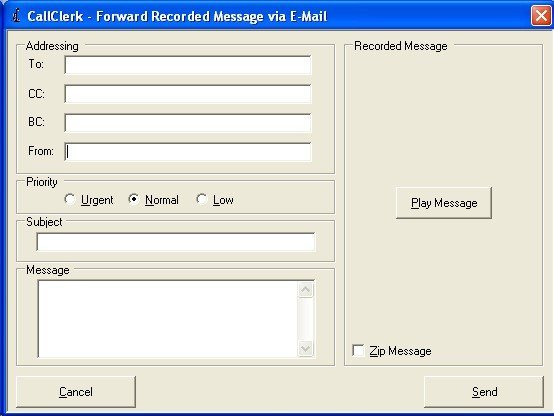
CallClerk - Forward Fax/Message via E-Mail
The CallClerk - Forward Fax/Message via Fax windows allow you to forward a fax or message that you have received to others via E-Mail
To review the fax to be sent click on the left or right arrow keys beside the picture of the fax (or rotate your mouse wheel) or click on the fax itself to open the Fax Viewer.
To review to message to be sent click on the [Play Message] button.
Address the E-Mail as you would a normal E-Mail, adding an optional subject and message if you like.
Notes:
A singe e-mail recipient may, most simply, be identified by their e-mail address, for example:
person1@xyzcompany.com
Optionally a 'user friendly' name may be added in front of an e-mail address, for example:
John Doe person1@xyzcompany.com
Multiple recipients each separated by a comma (",") can be used, for example:
John Doe person1@xyzcompany.com,Jane Doe person2@xyzcompany.com, Jim person3@abcdefg.com
You can send the fax /message in zipped format by clicking the Zip Fax/Message option.
Note: you need to preconfigure E-Mail settings in the CallClerk - Settings - E-Mail window before you can E-Mail a Fax or Message.
Click [Send] to send the E-Mail.
Click [Cancel] to close the window without sending the fax.
The CallClerk - Forward Fax/Message via E-Mail windows looks like this: